The Model Context Protocol, or MCP, gives AI applications a standard way to use external tools and data.
An MCP server might connect an AI agent to a monitoring platform, controller, database, source of truth, or internal API. The protocol makes that connection consistent. It does not decide where the server runs or who keeps it running.
For a personal experiment, running an MCP server locally is often fine. For something a team depends on, it quickly becomes a problem.
Local MCP is built for one person
A local MCP server runs on the same machine as the AI application using it. This works well for local files, development databases, scripts, and personal workflows.
But sharing it across a team means every person has to install it, configure it, manage credentials, and keep it updated.
The capability becomes tied to individual laptops instead of being available to the whole team.
Remote MCP is better for shared tools
A remote MCP server runs as a service that compatible AI applications can connect to over the network.
This gives the team one shared endpoint and one place to manage authentication, credentials, access, and activity.
The downside is that someone has to operate it.
That means deploying infrastructure, securing the endpoint, storing secrets, monitoring availability, handling updates, and maintaining compatibility with the clients using it.
MCP standardizes the connection. It does not remove the work around it.
Let sauble.ai host it
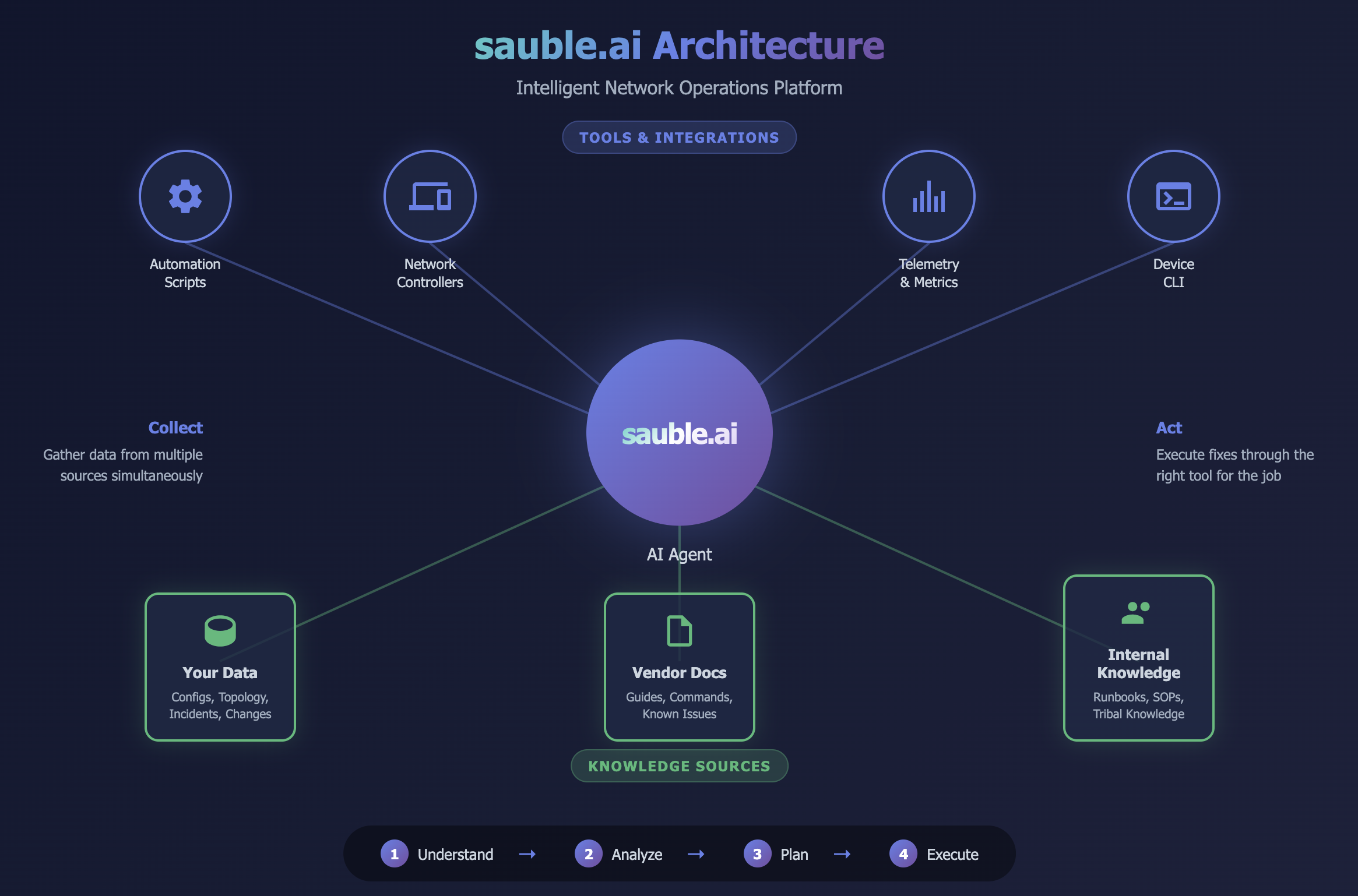
sauble.ai uses hosted MCP connectors to connect AI reasoning to the systems that describe and operate your network.
A connector might read from:
- Monitoring and observability platforms
- Network controllers
- Logs and flow data
- Topology systems
- Sources of truth
- Internal operational APIs
With a Sauble-hosted connector, there is no MCP service for your team to deploy or maintain.
You connect the data source using read-only access, and Sauble operates the connector as a remote service inside your shared workspace.
Credentials are handled by the connector layer and are not placed in prompts or model context. The model receives the information returned by an approved connector operation, not the underlying password or API token.
One connection for the whole team
A hosted connector is not tied to the person who installed it.
Everyone in the workspace can work from the same connected sources, network context, and analysis environment. Credentials can be rotated centrally, and connector updates do not have to be repeated across every engineer's laptop.
You can also connect remote MCP servers your organization already operates. Sauble-hosted connectors and your own MCP servers can be used together in the same environment.
Sauble works on both sides of MCP
MCP is how data enters sauble.ai, but it is also how Sauble's analysis reaches your engineers.
sauble.ai exposes its correlation and root-cause analysis through a remote MCP endpoint. Connect a compatible AI tool such as Claude Code, Cursor, or Windsurf, and it can call Sauble's analysis directly.
The full path looks like this:
Your systems → hosted MCP connectors → sauble.ai → your AI agent
Your engineers stay in the tools they already use while Sauble reasons across monitoring, topology, logs, controller state, and other connected sources.
See it before connecting anything
You do not need to deploy an MCP server or connect a production system to see how Sauble works.
Start with a sample network, ask questions in plain language, and see how Sauble correlates information across MCP sources to identify the likely root cause. The Playground includes free starter credits, requires no credit card, and is intended for non-production use.
Try the sauble.ai Playground → and see what your AI agent can understand when the network context is already connected.